

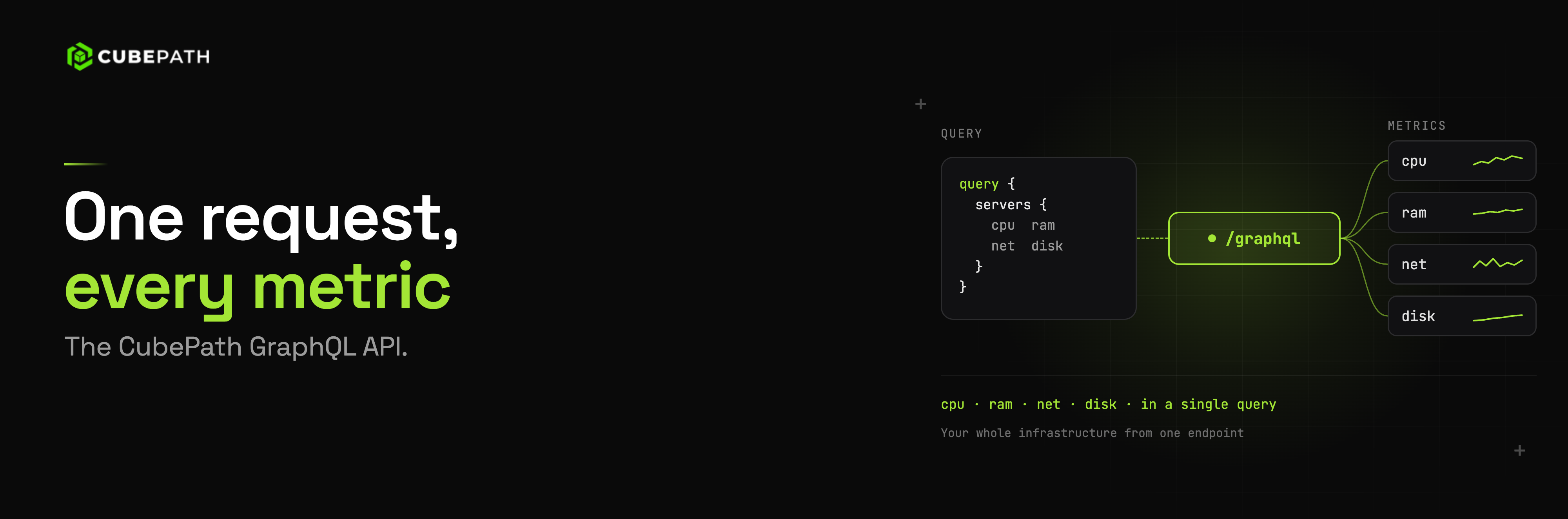
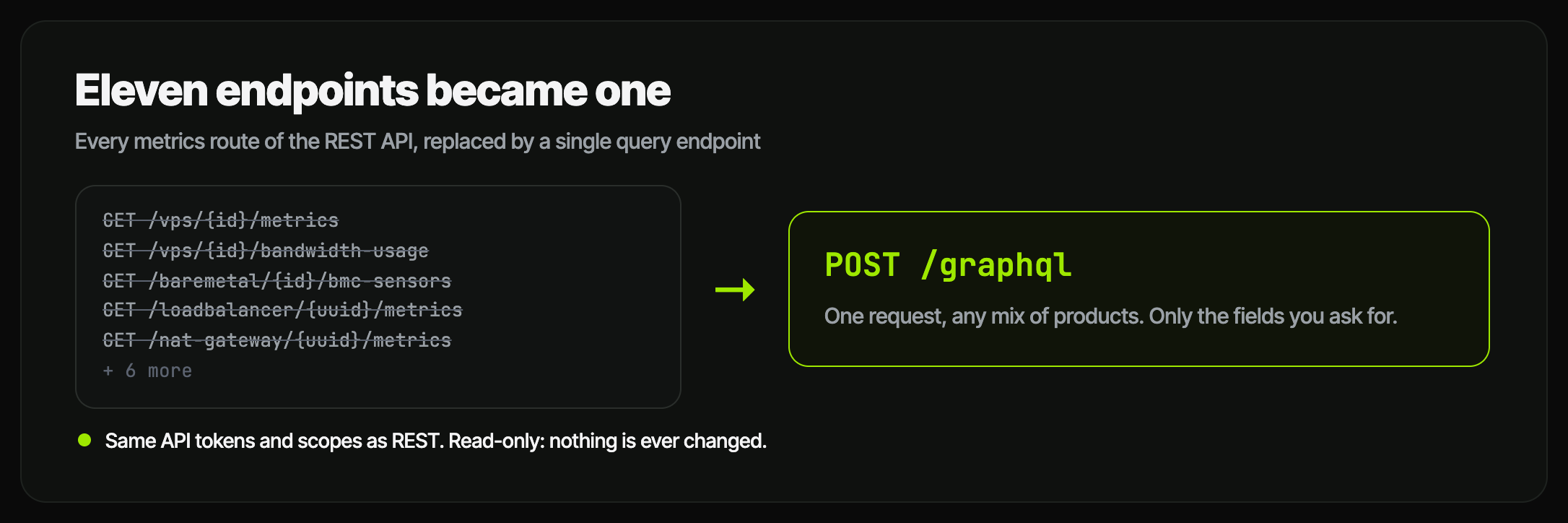
Every chart in the CubePath panel has to come from somewhere. For a long time that somewhere was a set of REST endpoints, one per product and per kind of chart: one for VPS metrics, another for VPS bandwidth, another for baremetal, another for BMC sensors, another for load balancers. Eleven of them in total, each with its own parameters and its own response shape.
That worked, until it didn't. A project page with ten servers, two load balancers and a NAT gateway meant dozens of requests just to draw the graphs. And anyone who wanted the same numbers in their own tooling had to learn eleven slightly different endpoints to get them.
So we replaced all of them with one. CubePath now has a GraphQL API at POST /graphql, and it's the only way metrics leave the platform. The panel uses it, the new Bandwidth page uses it, and you can use it too, with the same API token you already have.
Why GraphQL, and Why Only for Metrics
Metrics are the textbook case for GraphQL. The question is almost never "give me everything about this server." It's "give me the CPU of these six servers over the last six hours, the memory of two of them, and this month's bandwidth for the load balancer in front of them." With REST, that's nine requests and a lot of data you didn't ask for. With GraphQL, it's one request, and the response has exactly the shape of the question.
{
  vpsList(projectId: "42") {
    name
    metrics(range: H6, metrics: [CPU_USAGE]) {
      series { name unit points { ts value } }
    }
  }
  loadBalancer(uuid: "...") {
    name
    bandwidthUsage { inBytes outBytes }
  }
}
What it deliberately does not do is change anything. There are no mutations. Creating servers, resizing them or editing DNS records stays on the REST API, which is where the activity log, the confirmations and the validation of every write already live. Reading graphs is a different job from operating infrastructure, and keeping them apart means a token you hand to a monitoring box can never be anything more than a token that reads graphs.
What's in It
The API covers every product that produces metrics:
- VPS: CPU, memory, disk reads and writes, network in and out, and monthly bandwidth, for one server or up to 200 at once
- Availability groups: average CPU and total memory across the whole group
- Bare metal: traffic and packets per second from the switch ports, monthly and rolling 30-day bandwidth, and the BMC sensors: temperatures, fan speeds and power state
- IP transit: traffic and packets on your transit port
- Load balancers: active connections, new connections per second, traffic and monthly bandwidth
- NAT gateways: traffic and monthly bandwidth
- Kubernetes: the health of the API server, every node with its conditions (ready, memory pressure, disk pressure), its resources and its usage, and the cluster series over time
- Bandwidth: every service that moves public traffic, with its traffic summed by location, product, project or service
That last one is what powers the Bandwidth page we released this week, and it's a good example of what one endpoint makes possible. The page is not a special backend feature. It's a GraphQL query, and you can run the exact same query yourself.
What You Can Build With It
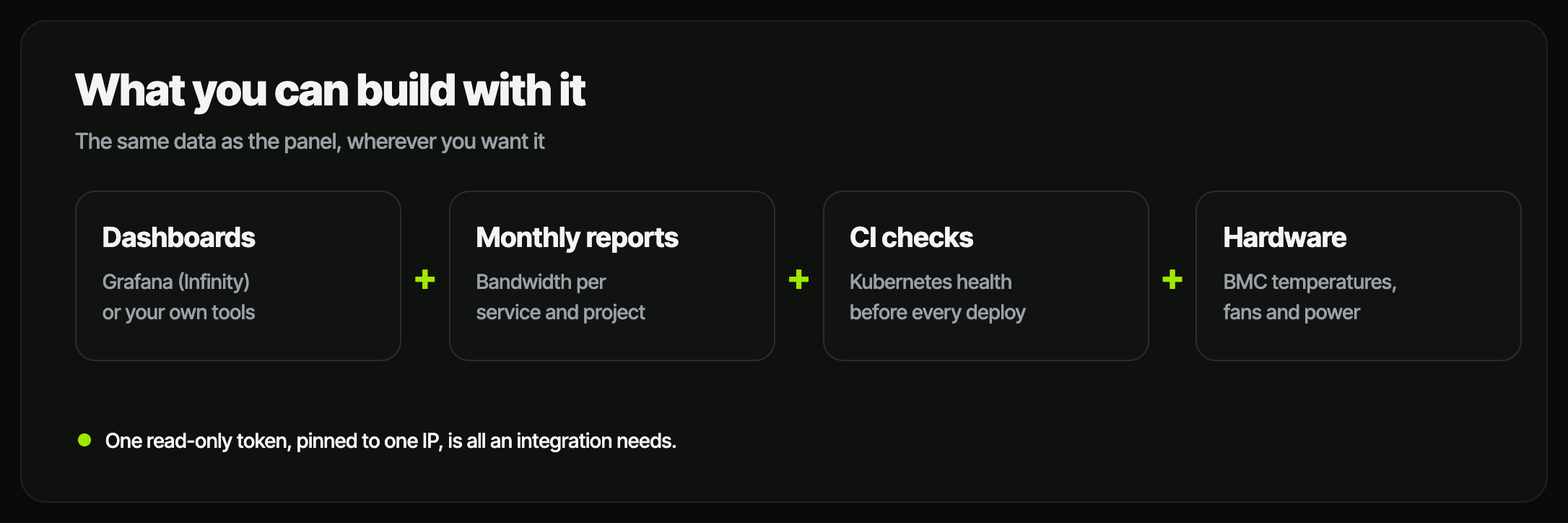
The interesting part is not that the panel has graphs. It's that you can now have the same data anywhere you want it, without scraping anything.
Your own dashboards. If your team already lives in Grafana, the Infinity data source speaks GraphQL. Point it at https://api.cubepath.com/graphql with a read-only token and your CubePath servers sit next to everything else you monitor. Every series comes back with its unit and with aligned timestamps, so CPU and memory plot on the same axis without any glue code.
A monthly bandwidth report. bandwidthResources lists every service that moves public traffic with its project, its location and usage(month: "2026-09"), the bytes in and out for that calendar month. One request gives you the month of every server, load balancer and NAT gateway you have, ready to sum per project or per client. Run it on the first of every month and send it wherever your finance team reads things.
Kubernetes checks in CI. Before a deploy, ask the cluster if it's healthy:
{
  kubernetesCluster(uuid: "...") {
    health { up ready nodesReady nodesTotal podsPending serverCertExpires }
  }
}
If nodesReady is lower than nodesTotal, or there are pods stuck pending, the pipeline stops before it makes things worse. serverCertExpires tells you when the API server certificate expires, which is the kind of thing nobody remembers until the day it happens.
Hardware you can't see. A dedicated server's BMC knows things the operating system doesn't: inlet temperature, fan speeds, whether the machine is actually powered on. baremetal { sensors { temperatures { name value unit } fans { name value unit } } } gives you those readings without opening an IPMI console.
Capacity decisions. "Which of my servers have been below 10% CPU for a week?" is a vpsList per project with metrics(range: D7, metrics: [CPU_USAGE]). The answer is the list of servers you're paying for and not using.
The Same Permissions as Everything Else
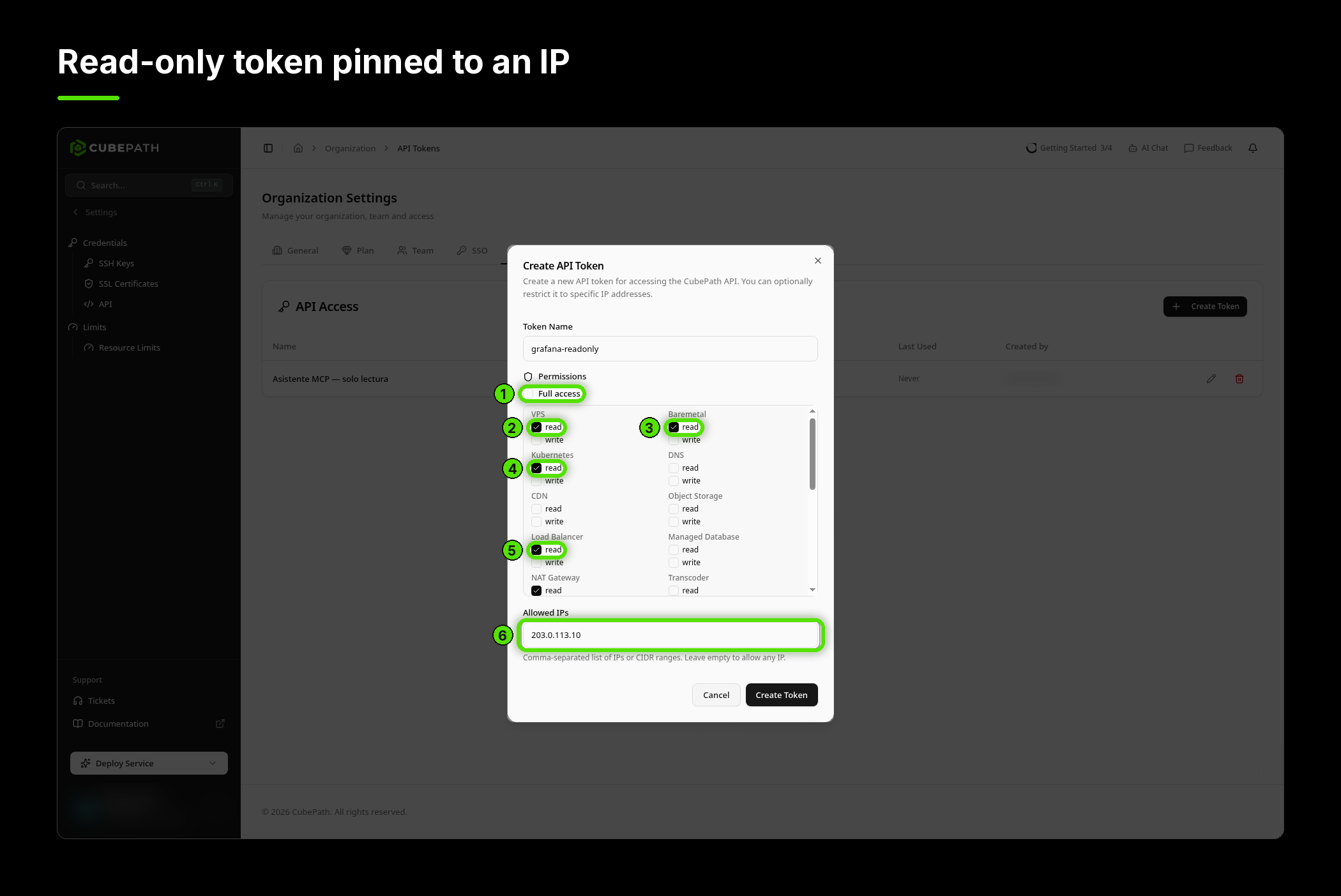
There is no separate permission system for GraphQL. It accepts the same API tokens as the REST API, and every field checks the same scopes: vps:read for VPS, baremetal:read for bare metal, kubernetes:read for clusters, and so on.
That has a nice consequence. A request that asks for VPS metrics and Kubernetes health with a token that only has vps:read doesn't fail as a whole. The VPS fields come back, and the Kubernetes field comes back as null with a FORBIDDEN error next to it. You get everything the token is allowed to see, and a clear explanation for the rest.
Resources from other organizations behave exactly like resources that don't exist: same NOT_FOUND, same message. There's no way to ask the API whether an ID belongs to someone else.
Our recommendation is the same as for any integration: create a token with only the read scopes it needs, pin it to the IP of the machine that uses it, and it becomes a credential that can read graphs from one place and nothing else.
It Degrades, It Doesn't Break
Metrics come from a different system than the rest of the platform, and any system can have a bad minute. When that happens, the API does not fail your whole request.
The server, the load balancer, the cluster all still resolve with their names and the data that doesn't depend on metrics. The series come back empty, and an error with the code METRICS_UNAVAILABLE points at exactly which fields were affected. A dashboard can show "metrics temporarily unavailable" on one chart instead of a blank page.
Every error carries a code (UNAUTHENTICATED, FORBIDDEN, NOT_FOUND, BAD_USER_INPUT, METRICS_UNAVAILABLE, QUERY_TOO_COMPLEX), so your code can branch on something stable instead of parsing messages.
Limits That Make Sense for Polling
The panel refreshes charts every few seconds in live mode, so the API was built for polling from the start. The limit is 600 requests per minute per token, and one request counts once no matter how much it asks for.
What bounds a single request is how much data it returns: up to about 24,000 points, which is 200 one-hour series or 80 thirty-day ones. A query that asks for more is refused before it runs, with QUERY_TOO_COMPLEX, rather than half-executed. Long ranges are automatically downsampled, so a 30-day chart is around 300 points, not 86,000.
Where It Fits
GraphQL doesn't replace the REST API, and it isn't meant to. REST is still where you create, change and delete things, and the MCP server is still the way to let an AI assistant operate your infrastructure.
What GraphQL replaces is every place where you were drawing graphs or building reports from CubePath data: eleven endpoints became one, and the panel's charts became something you can reproduce exactly in your own tools.
The GraphQL API guide has the full list of fields, the errors and the limits. Create a read-only token, send your first query, and put your infrastructure's numbers wherever you actually look at them.