

Every CubePath product has always been reachable in more than one way. There's the panel for people who want to click. There's the API for people who want to script. There's Terraform for people who want infrastructure in Git, the CLI for people who live in a terminal, and the SDK for teams building their own internal platform on top.
All of them consume the same API, because that's how the platform is built. The panel is just another client.
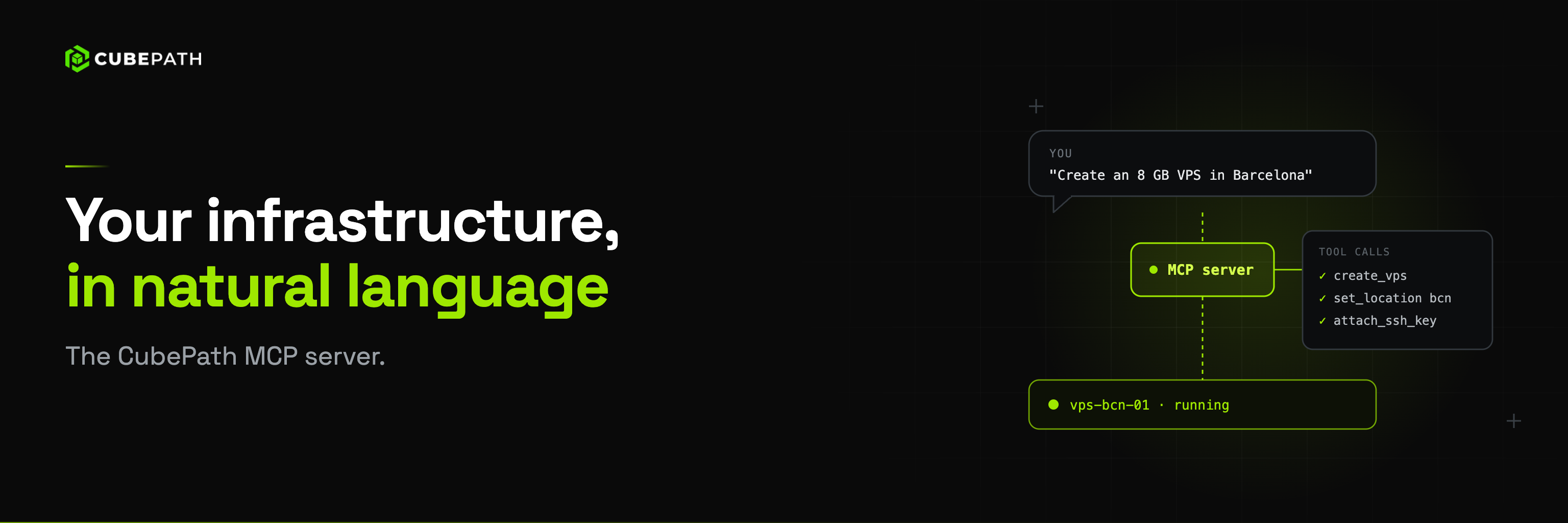
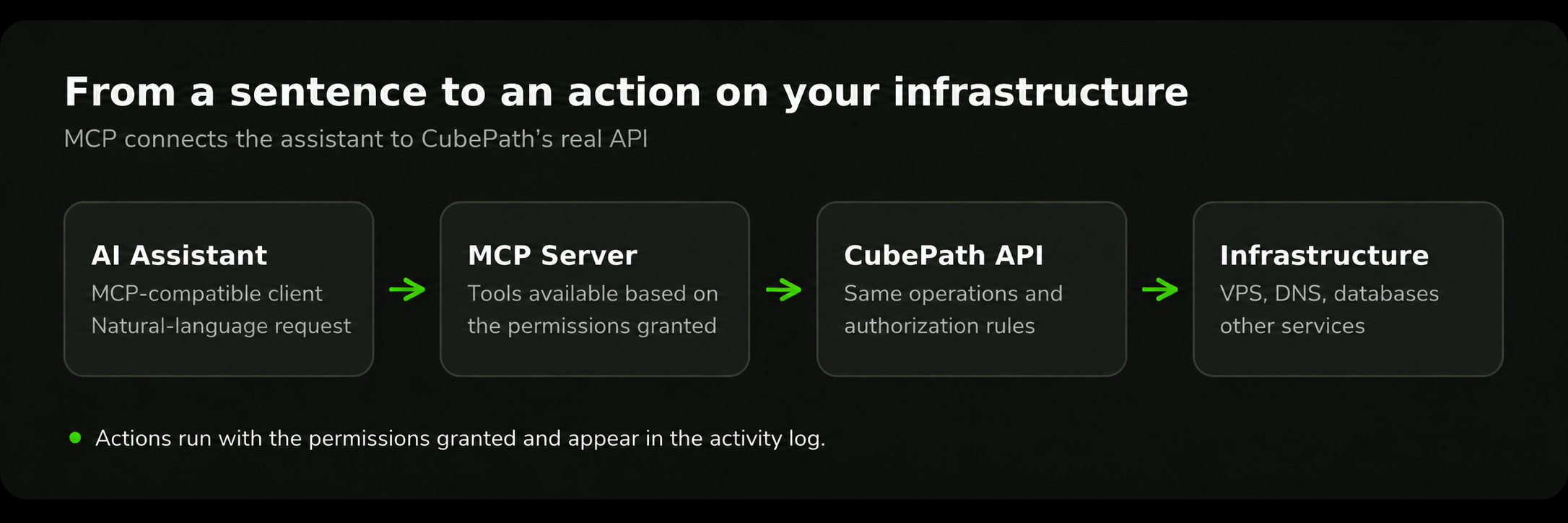
Now there's one more client, and it's a different kind of one: an AI assistant. CubePath ships an MCP server at POST /mcp, which means Claude Code, cubecli, or any MCP-capable client can operate CubePath infrastructure in plain language. Not a chatbot that reads documentation and tells you which button to press. An assistant that actually calls the API, with the permissions you grant it and nothing more.
What MCP Actually Is
The Model Context Protocol is a standard for connecting AI assistants to real systems. Instead of an assistant guessing what your infrastructure looks like, it gets a catalogue of tools it can call and calls them.
That distinction matters more than it sounds. An assistant without MCP can write you a curl command. An assistant with MCP can list your VPS instances, notice that one of them has been at 94% memory for three days, check the metrics to confirm it isn't a spike, resize it, and wait for it to come back up. Each of those steps is a real API call against your account, not a suggestion.
The protocol is client-agnostic. CubePath implements the server side, and whichever MCP client you prefer connects to it.
Pointing a Client at It
You don't need to create a token. In Claude Code it's a single command:
claude mcp add --transport http cubepath https://mcp.cubepath.com/mcp
In claude.ai, add https://mcp.cubepath.com/mcp as a connector. Any other client that implements the MCP authorization flow works the same way.
The first time, a browser opens, you sign in to CubePath, pick the organization the assistant may reach and tick the permissions you're granting. That's it. Nothing to create beforehand, nothing to copy and paste, and no credential left sitting in a config file.
There's no agent to install either, no local proxy, no separate service to run. The MCP server is part of the API, hosted on the same infrastructure, reachable over plain HTTPS.
The transport is stateless streamable HTTP: one request, one response. There are no sessions to keep alive, no long-lived connections, nothing to reconnect when your laptop sleeps. Restart your client whenever you want and the next request works exactly like the last one.
What the endpoint deliberately does not accept is the session cookie your browser holds. An endpoint that provisions and destroys infrastructure from a JSON body should not be reachable by a page you happened to have open in another tab.
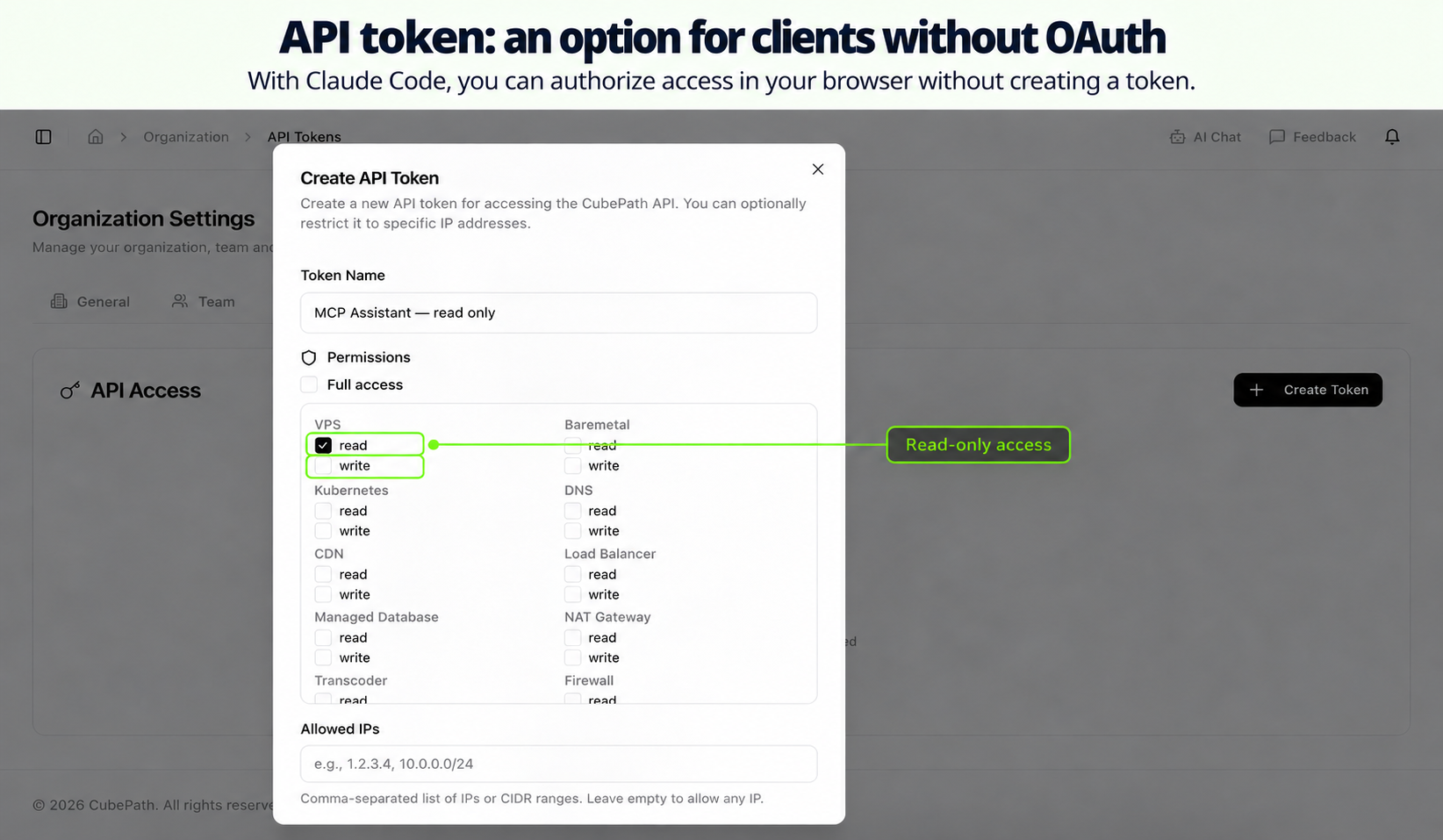
No browser: API token
For the cases where there's no browser to open, like a CI pipeline or a container, you can use an API token in the X-API-Key header:
{
  "mcpServers": {
    "cubepath": {
      "type": "http",
      "url": "https://mcp.cubepath.com/mcp",
      "headers": { "X-API-Key": "<your API token>" }
    }
  }
}
That's the exception, not the usual path. If you're on your laptop with Claude Code, you don't need it.
The Permissions You Grant Are the Real Control
This is the part worth reading twice.
Access to the CubePath API is split into scopes. When you authorize the assistant in the browser (or mint an API token), you choose exactly which product areas it can touch and whether it can read or write in each one: vps:read, vps:write, dns:read, dns:write, kubernetes:read, cdn:write, and so on across every product on the platform.
The MCP server applies those scopes, using the same authorization rules the equivalent REST endpoint applies. There is no second permission system, no MCP-specific role, nothing to configure twice.
What this means in practice:
Grant read only, get read tools only. Not "the assistant is asked nicely not to change anything." The write tools are not in the catalogue the assistant receives. It cannot call what it cannot see, and if it somehow tried, the same scope gate would refuse it.
Narrow permissions, narrow assistant. Grant dns:read and dns:write and nothing else, and the assistant becomes a DNS assistant. Your servers, your Kubernetes clusters, and your CDN zones are not just off limits, they are invisible. The tool list is filtered per caller.
Your role is still the ceiling. The assistant can never have more than you have in the organization, and permissions are re-checked on every request against your current membership. If your role changes, so does what the assistant can do.
The organization is fixed. The assistant reaches the organization you picked when you authorized it and cannot move to another.
Destructive actions are labelled. Every tool declares whether it's read-only, whether it's destructive, and whether it's idempotent. Those flags travel to the client, which is what lets Claude Code stop and ask for confirmation before it destroys a server instead of doing it mid-sentence.
The recommendation is simple: on the authorization screen, untick everything the assistant doesn't need. You can grant less than the application asks for, including everything that writes. For exploring your infrastructure, read access is probably enough. And when you're done, disconnect it from Account → Connected applications, where you can see when each application last acted. Disconnecting takes effect on its next request, without waiting for anything to expire.
150 Tools Across the Whole Platform
The MCP catalogue isn't a demo covering a couple of endpoints. It covers the customer-facing surface of the API, currently 150 tools grouped by product area:
- VPS: list, create, resize, reinstall, power actions, backups and restores, snapshots, ISO attach, SSH key management, private network attach, bandwidth usage, metrics, availability groups
- Bare metal: catalogue, deploy, power, reinstall, recovery mode, BMC sensors, network configuration, metrics
- Kubernetes: cluster catalogue, create, update, node pools, add-on install and uninstall
- Managed databases: plans, provisioning, inspection, reconfiguration, databases and users
- DNS: zones, records, SOA, GeoDNS regions, health checks, zone scanning and verification
- CDN: zones, origins, caching rules, signed URLs, metrics
- Load balancers: plans, creation, listeners, targets, metrics
- Networking: private networks, BGP peers, NAT gateways, floating IPs, reverse DNS, tunnels
- Security: firewall groups and rules, DDoS protection profiles, attack history, traffic queries
- Platform: projects, SSH keys, Cloud Alerts and notification channels, transcoder jobs, network status
The commitment is stricter than "most things are covered." Every endpoint that appears in the public API documentation is either reachable as an MCP tool or deliberately excluded for a stated reason, and the ones that are excluded are listed further down. If you can see an operation in the API reference, an assistant can call it.
What That Looks Like in Practice
The interesting part isn't any single tool call. It's that an assistant can chain them, and that it already knows what your infrastructure looks like because it just read it.
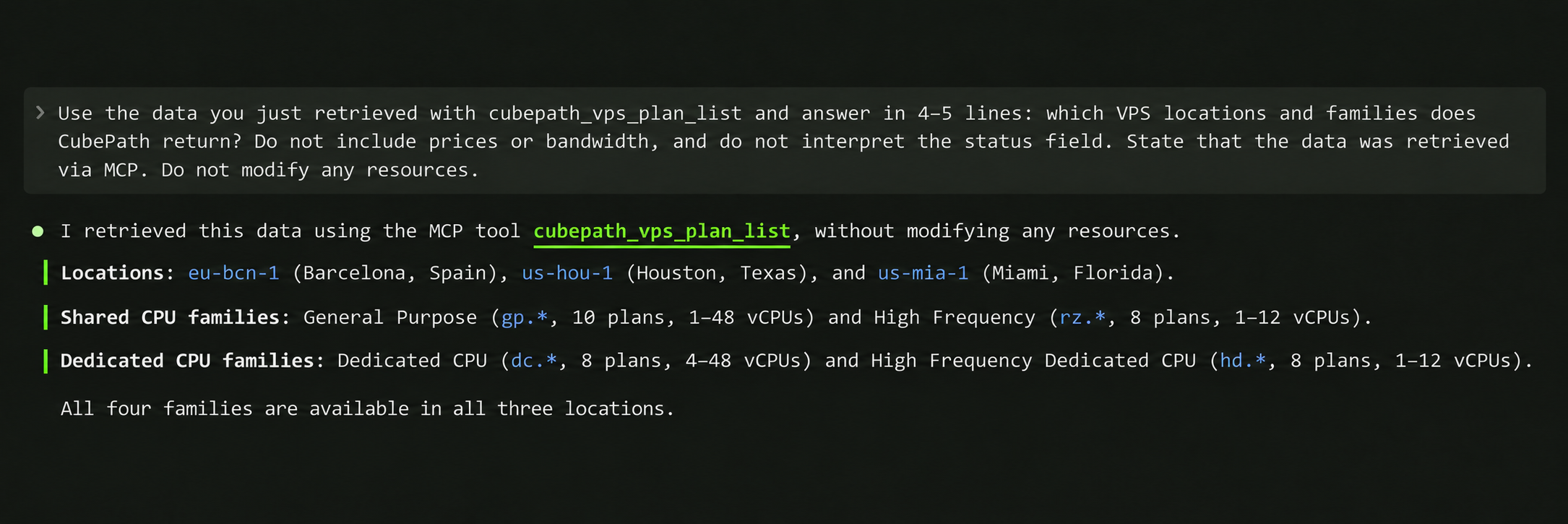
"Which of my servers in Miami are running below 10% CPU?" is a listing call plus a metrics call per instance, then a comparison. You get an answer, not a dashboard to interpret.
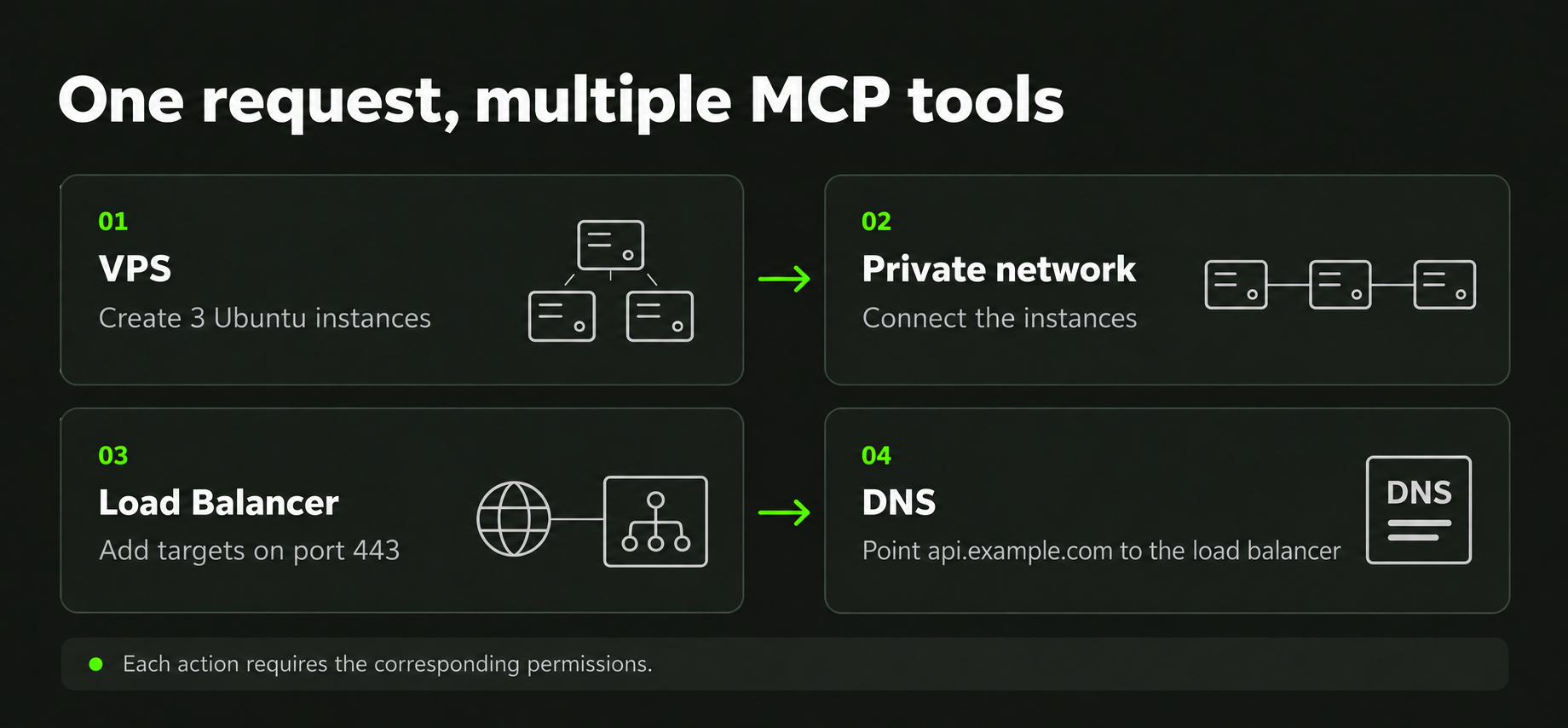
"Create three Ubuntu servers on the app-network private network, put them behind a new load balancer on port 443, and point api.example.com at it" is a sequence: create instances, wait for them to provision, create the load balancer, register the targets, create the DNS record. Each step is a real API call, each one authorized against the permissions you granted, each one logged in your activity trail exactly as if you'd done it from the panel.
"Something is wrong with the CDN, what changed?" is a zone listing, a rules listing, and a metrics query, correlated in one answer.
The pattern that comes up most often is investigation. Reading state across products is tedious by hand and trivially parallel for an assistant, and granting read access only makes it completely safe. Plenty of teams will never grant write permissions at all and still get most of the value.
What the Assistant Never Sees
Everything a tool returns lands in the client's conversation history. That history gets stored, synced, sometimes logged. So the design question isn't only "can the assistant do this," it's "should this ever be written into a transcript."
A few endpoints are deliberately absent from the tool catalogue for that reason, even though they're perfectly normal REST endpoints you can call yourself:
- The Kubernetes kubeconfig download, because it's a full cluster admin credential that isn't separately revocable
- Managed database credentials, because the connection URI carries the password inside it
- Bare metal KVM access, because it hands back a physical console URL and its credentials
- CDN token-auth secret rotation, because it returns the new secret exactly once
There's also a redaction layer that strips known credential fields out of every tool result as a backstop. But a backstop is what it is. The primary defense is not exposing those endpoints to an assistant at all, and that's the choice that was made. If you need a kubeconfig, download it from the panel or the API, where it goes to you and not into a chat log.
Large responses get shaped before they're returned, too. A metrics query doesn't dump ten thousand data points into the conversation; it comes back as statistics plus a downsampled curve, always reporting the real total so a truncated list is never mistaken for a complete one.
It Is the Same API, Not a Copy of It
Every tool runs the same operation the equivalent REST endpoint runs, so there is no behaviour that differs between the two. A limit that applies when you create a server from the panel applies when an assistant creates it. A suspended organization is blocked either way.
That matters most for your audit trail. When an assistant creates a VPS, the entry in your activity log is indistinguishable from the one the panel would have written, including which user was behind it. Connecting an assistant does not create a blind spot in the record, and it does not create a second set of permission rules that could drift from the first.
Where It Fits
MCP does not replace Terraform, and it isn't trying to. Production infrastructure should be declared in code, reviewed in pull requests, and applied by a pipeline. That's still the right answer, and the CubePath Terraform provider is still the right tool for it.
What an assistant is good at is everything around that. Investigating. Answering questions across products that would otherwise mean five browser tabs. Handling the one-off task that will never be worth writing a module for. Setting up a staging environment you're going to throw away on Friday. Doing the tedious sequence of ten calls that you know how to do but don't feel like doing.
The honest framing is that this is another interface, not a new platform. The same API, the same permissions, the same activity log, the same everything. What changed is that the client can now be an assistant, and the instruction can be a sentence.
Add the server to your client, grant only what you actually want reachable, and ask it what your infrastructure is doing.