


Deploy OpenClaw in 1 click
Run your own self-hosted AI agent on a private, DDoS-protected server. Connect WhatsApp, Telegram, Discord, Slack and more — no setup scripts, no terminal. Live in minutes.
Free and open source · Your data stays on your server
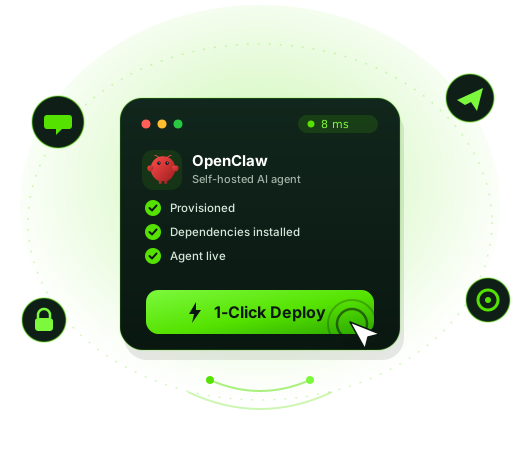
Your own AI agent, on your own server
OpenClaw is a self-hosted gateway that connects the chat apps you already use to an AI agent that takes action — not just answers. It can run commands, manage files, browse the web, organize your inbox and send you alerts, all from a single process you fully control.
Self-hosted & private
Everything runs on your server. Your conversations, keys and data never leave your machine.
Acts, doesn't just chat
Tool use, sessions and memory let the agent complete real tasks across your tools.
Bring your own model
Plug in an API key from your favorite AI provider and use the latest top-tier models.
From zero to your own AI agent in 3 steps
No command line, no Docker, no manual configuration. CubePath provisions everything for you.
Pick a server
Choose any CubePath VPS. A 2 vCPU / 4 GB plan is plenty to get started.
Click "Deploy OpenClaw"
We install OpenClaw, Node and all dependencies automatically. Ready in a couple of minutes.
Connect & chat
Add your AI provider key, link your messaging app, and start chatting with your agent.
Watch how to install OpenClaw on CubePath
A step-by-step walkthrough of deploying your own OpenClaw AI agent in minutes.
Everything OpenClaw gives you
One gateway process serving all your platforms.
Multi-channel gateway
Message your agent from Discord, Telegram, WhatsApp, Slack, Signal, iMessage, Teams and more — all at once.
Tool use & actions
Built for coding agents with tool access, isolated sessions and persistent memory.
Web Control UI
A built-in dashboard to chat, configure channels and manage your agents from the browser.
Multi-agent routing
Route different users or workspaces to isolated agent sessions with their own context.
Mobile pairing
Pair iOS and Android nodes to reach your agent from anywhere.
Media support
Send and receive images, audio and documents — not just text.
Message your agent from anywhere
Connect one or many — OpenClaw handles them all from a single process.
The best place to host OpenClaw
OpenClaw is powerful and runs commands on your server — so it belongs on a dedicated, isolated machine, not your laptop.
Free DDoS protection
Always-on, enterprise-grade mitigation included on every server at no extra cost.
NVMe performance
Fast NVMe SSD storage and modern AMD CPUs keep your agent snappy.
Isolated & secure
A dedicated VPS keeps OpenClaw's full system access safely away from your personal devices.
Instant deployment
Your server and OpenClaw are provisioned in minutes, 24/7.
Frequently asked questions about OpenClaw
Everything you need to know about OpenClaw, 1-click deployment and hosting your AI agent on CubePath.
What is OpenClaw?
OpenClaw is a free, open-source, self-hosted AI agent gateway. It connects the chat apps you already use — WhatsApp, Telegram, Discord, Slack, Signal, iMessage and more — to an AI agent that can take real actions, not just reply with text. Unlike a normal chatbot, OpenClaw can run commands, manage files, browse the web, remember context across sessions and complete tasks, all running on a server you fully control.
How do I install OpenClaw?
The easiest way is the 1-click deploy on CubePath. You don't need to install Node.js, Docker or any dependencies by hand or touch the terminal: pick a CubePath VPS, click "Deploy OpenClaw", and we provision the server and install everything automatically. In about two minutes you'll have a running OpenClaw instance ready to configure from your browser.
Is OpenClaw free?
Yes. OpenClaw is 100% free and open source, so the software itself costs nothing and you can inspect or modify the code. You only pay for the server you run it on (a CubePath VPS) and for the AI model usage from whichever AI provider you connect with your own API key.
What can OpenClaw do?
OpenClaw turns your favorite messaging app into a command center for an AI agent. You can ask it to run scripts and commands, manage and edit files, browse the web and summarize pages, organize your inbox, set reminders and send you alerts, automate workflows, and act as a personal coding or operations assistant — all from a chat. Because it has tool use, sessions and memory, it completes multi-step tasks rather than only answering questions.
Which messaging apps can I connect to OpenClaw?
OpenClaw works as a multi-channel gateway. You can connect WhatsApp, Telegram, Discord, Slack, Signal, iMessage, Microsoft Teams, Google Chat, Matrix, Twitch, Nostr and a built-in WebChat — all at the same time, served by a single agent.
Do I need to know how to code to use OpenClaw?
No. The 1-click deploy needs zero technical skills — no terminal, no setup scripts. To finish configuring it you'll paste an AI provider API key and link your messaging apps, which the dashboard walks you through step by step. Developers can go deeper with custom tools and configuration, but it isn't required to get started.
Which AI models does OpenClaw support?
OpenClaw is model-agnostic. You bring your own API key from your preferred AI provider, so you're never locked in and you control your own costs. For the best results we recommend connecting the latest top-tier model available from your provider.
Is my data private and secure with self-hosted OpenClaw?
Yes — privacy is the main reason people self-host. Because OpenClaw runs on your own CubePath server, your conversations, API keys and files stay on your machine and are never sent to a third-party SaaS. CubePath servers also include enterprise DDoS protection, and you keep full root access and control over your data.
What server do I need to run OpenClaw?
A small VPS is plenty to start: 2 vCPU and 4 GB of RAM comfortably runs OpenClaw for personal and small-team use. You can scale CPU, RAM and storage up at any time as your usage grows, with no migration needed.
What does a 1-click app deploy mean on CubePath?
1-click apps are pre-packaged applications that CubePath installs and configures for you automatically on a fresh VPS. Instead of provisioning a server, installing dependencies and configuring software over SSH, you just choose the app — like OpenClaw — click deploy, and it's live in minutes. It removes the technical setup so you can start using the app right away.
What is CubePath and why host OpenClaw there?
CubePath is a cloud hosting provider offering high-performance VPS and dedicated servers with AMD EPYC processors, NVMe storage, enterprise DDoS protection, a 99.99% uptime SLA and 24/7 support. Hosting OpenClaw on CubePath gives you 1-click deployment, low-latency global locations, hourly billing and a private, dedicated environment for your AI agent — without the manual server administration.
How much does it cost to run OpenClaw on CubePath?
OpenClaw itself is free. Your only hosting cost is the CubePath VPS it runs on, which starts at entry-level VPS pricing and is billed hourly so you pay only for what you use. You can review current plans and pricing on the VPS page and pick the size that fits your needs.
Can I uninstall, move or scale OpenClaw later?
Absolutely. You have full control of the server, so you can resize it, reinstall, back it up or remove OpenClaw at any time. Since it's open source and self-hosted, you're never locked in — your data and configuration are always yours.
Ready to launch your own AI agent?
Deploy OpenClaw on a CubePath VPS in one click and start chatting with your self-hosted assistant in minutes.