

The New CubePath Panel: Why We Left WHMCS Behind
For over 10 years, CubePath used WHMCS to manage orders and billing. It's a tool that has served thousands of hosting companies well, and it served CubePath in the early days. But as the platform grew to over 500 servers across Spain, Houston, Miami, and Amsterdam on a 5 Tbps network, the limitations became impossible to ignore.
WHMCS is built for traditional hosting resellers. CubePath needed instant deployments, a public API, command-line tools, Terraform support, and real control over networking, security, and infrastructure. None of that fits into WHMCS.
So instead of patching around someone else's system, CubePath built its own panel from scratch. This post covers what the new panel does and why it exists.
What Changed and Why
The old setup worked like this: WHMCS handled orders and billing, and everything else was stitched together with custom integrations. Adding a new product meant building a bridge between WHMCS and the actual infrastructure. Every new feature required working around WHMCS's assumptions about how hosting should work.
The new panel is API-first. Every product, VPS, bare metal, Load Balancers, DNS, private networking, CDN, runs through the same API. The panel is a client of that API, just like CubeCLI or a Terraform configuration. There's no separate billing system bolted on the side. Everything is one platform.
The Panel
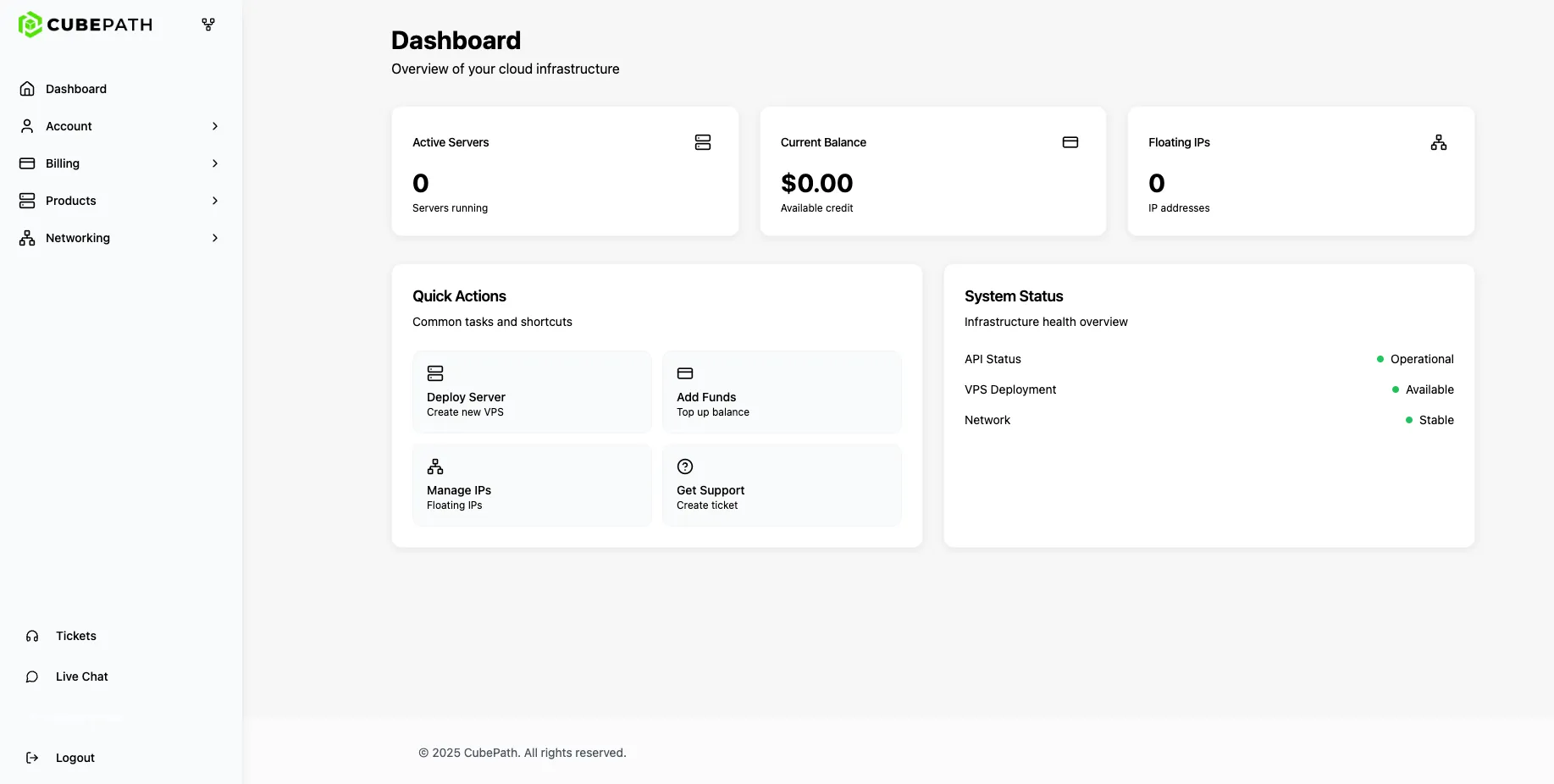
The dashboard is designed to be fast and functional. No unnecessary elements, no marketing banners inside the panel, no ten-step wizards to deploy a server. The interface is clean, responsive, and built for teams that manage infrastructure daily.
From the panel:
- Deploy a VPS in seconds with hourly billing starting at $0.007/hour
- Manage bare metal servers, VPS, networking, and DNS from one place
- Access all features without switching between different tools or providers
Managing All Infrastructure in One Place
Whether the workload runs on bare metal or VPS, the panel manages both from a single interface. No external tools, no context switching between providers.
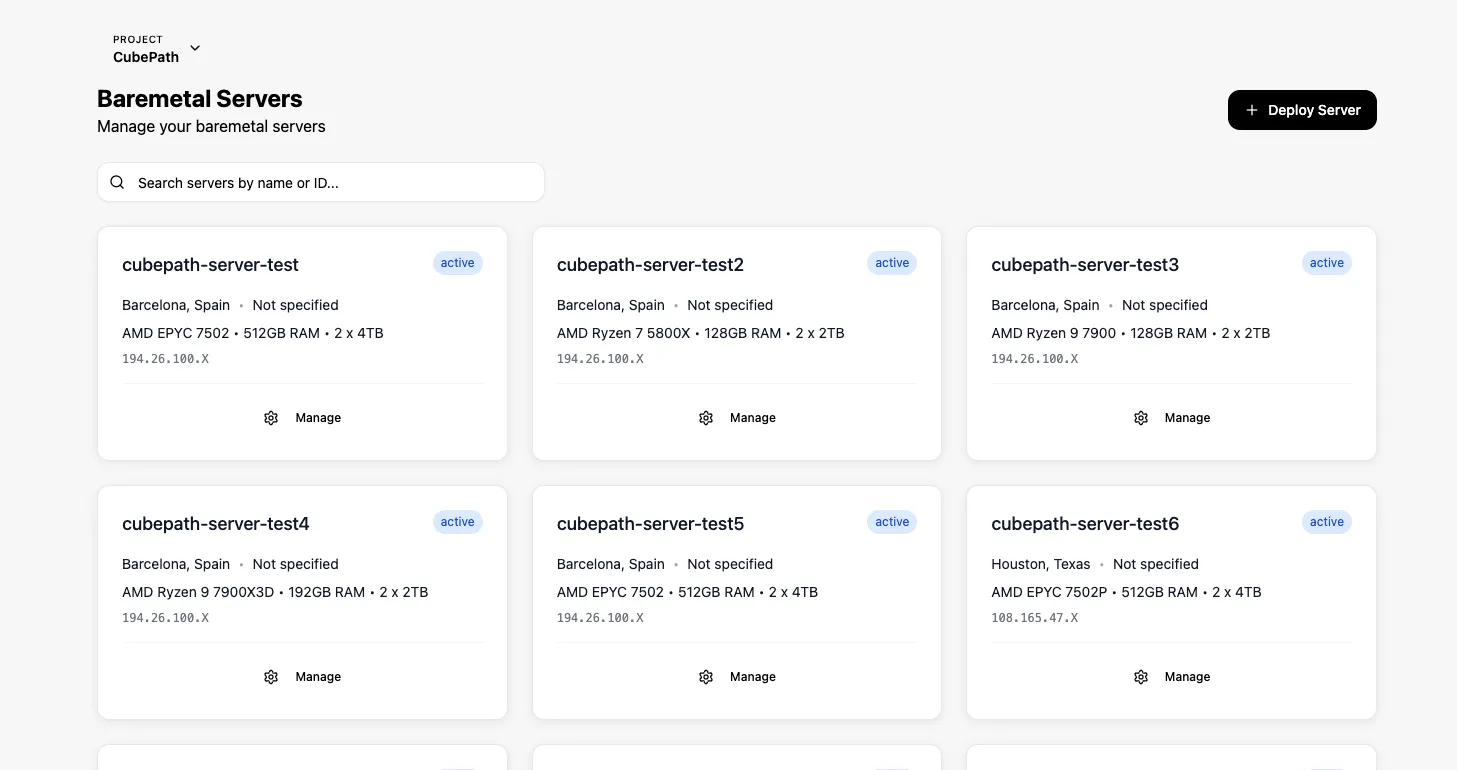
Everything is organized by project. Each project groups its servers, networks, and resources together. From any server view:
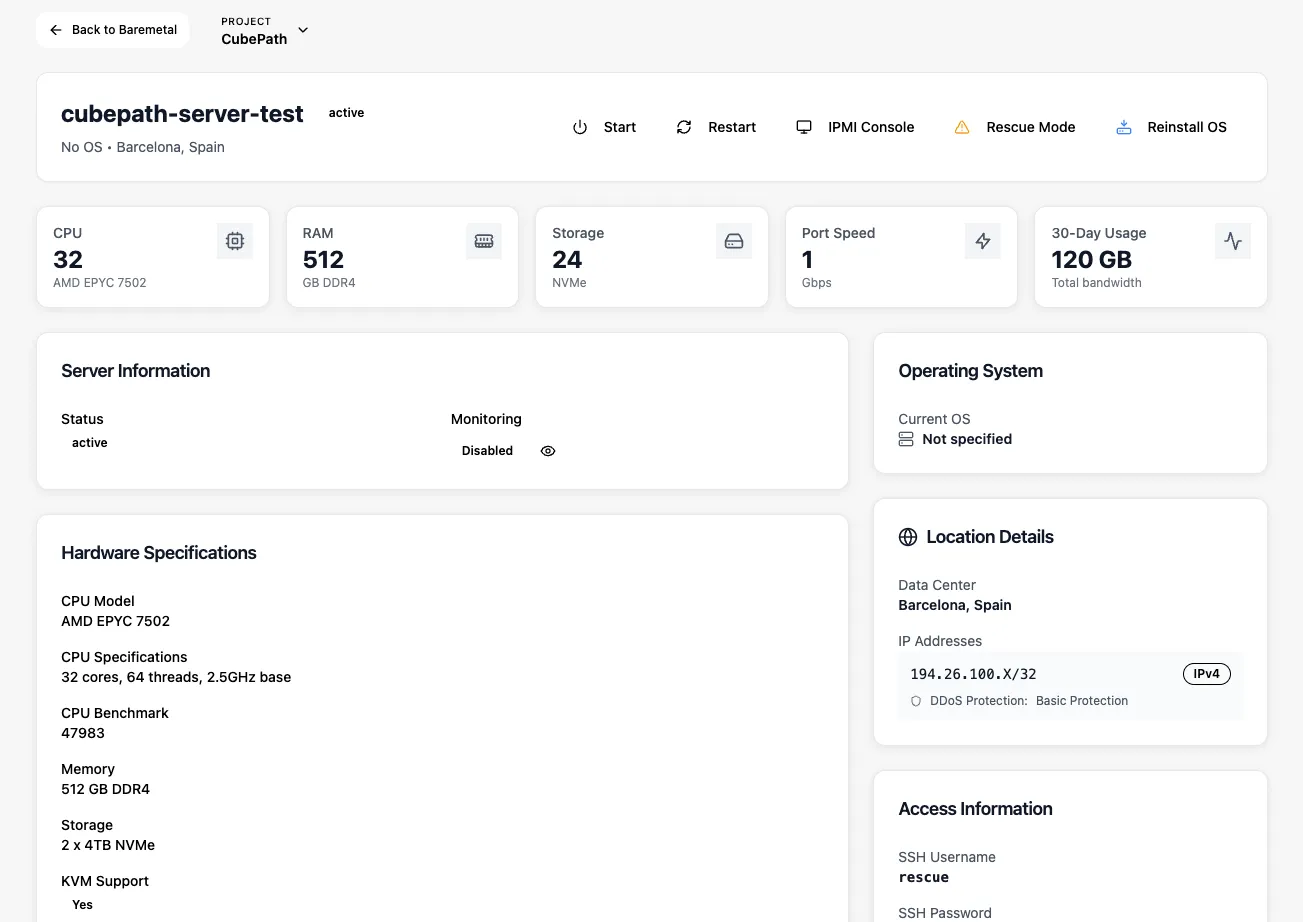
- See all active servers with their specs, location, and assigned IPs
- Reinstall the operating system on VPS and bare metal with one click
- Access the IPMI console for bare metal servers
- Power on, off, or restart any server remotely
- Manage private networks, Floating IPs, and firewall rules
Security and DDoS Visibility
CubePath's DDoS protection is built into the network and active on every service. The panel gives visibility into what the protection is doing:
Edge ACLs. Control incoming traffic to servers from the panel. Allow or block specific IPs, ports, and protocols without touching iptables or nftables on the server itself. Rules apply at the network level before traffic reaches the instance.
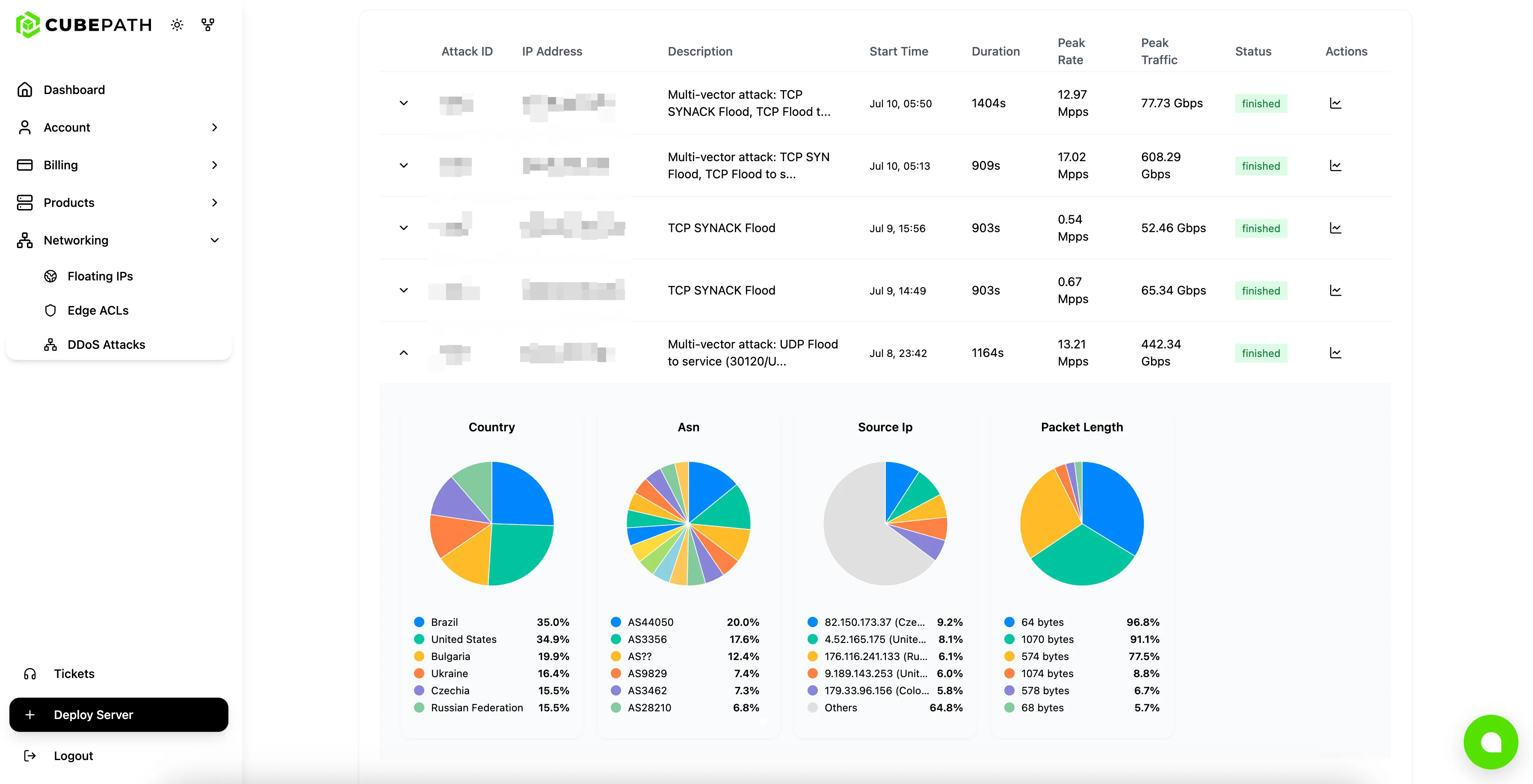
Attack metrics. See exactly when attacks happened, how large they were, where they originated, and how they were mitigated. This data is available per server, giving clear visibility into the threat landscape for each service.
CubeCLI and the API
The panel is built for visual management, but everything it does is also available programmatically.
CubePath API. Fully documented REST API at api.cubepath.com/docs. Every action in the panel has a corresponding API endpoint. Build custom integrations, automate provisioning, or integrate CubePath into existing workflows.
CubeCLI. The official command-line tool for managing CubePath infrastructure from the terminal. Open source and available on GitHub at github.com/CubePathInc/cubecli.
cubecli vps create
cubecli vps list
cubecli baremetal deploy
cubecli lb create
cubecli network create
Terraform Provider. Define CubePath infrastructure as code, version it in Git, and apply changes through standard Terraform workflows.
For teams that automate their infrastructure, the panel is where things get monitored and debugged. The API, CLI, and Terraform are where things get built and deployed.
Available Now
The new panel is live at my.cubepath.com. Existing customers were migrated automatically.
What's available from day one:
- Full management of VPS and bare metal servers
- Hourly billing on all VPS instances
- Documented REST API and CubeCLI
- Private networking, Floating IPs, DNS, Load Balancers
- Edge ACLs and DDoS attack metrics
- Marketplace with one-click app deployments
- Cloud Alerts with Slack and Email notifications