

Open Video Transcoding → New Job in my.cubepath.com.
A job is one source, one destination and one list of outputs. There's no project, profile or preset to configure first, and nothing carries over between jobs: every submission brings its own source, its own destination and its own credentials. That's deliberate — it means a job is fully described by what you send, and you can generate them from code without any stored state to keep in sync.
Source
Choose the source type first, because it changes the rest of the form.
- Download URL — an
http://orhttps://URL we can fetch without credentials. The form rejects anything that isn't a full URL, and the service refuses URLs that resolve to private or internal addresses, so a link to something on your own LAN won't work. - S3 bucket — an object in a bucket you control. You supply the endpoint, region, bucket and object key, plus an access key and secret key. The object key is the path inside the bucket (
videos/talk-42.mov), not a URL.
Whatever the source, it's read once. Ten outputs don't mean ten downloads.
Destination
The destination is always an S3-compatible bucket, and it's the only place the job writes. Fill it in even if it's the same bucket the source came from — input and output are configured separately.
| Field | Required | Notes |
|---|---|---|
| Endpoint | No | Leave empty for AWS S3. Set it for CubePath Object Storage, R2, B2, Wasabi or MinIO |
| Region | No | auto is fine for providers that ignore it |
| Bucket | Yes | The one field the form always insists on |
| Destination prefix | No | e.g. transcoded/. Everything the job writes lands under it |
| Access key / Secret key | In practice yes | Only omit them if the bucket accepts anonymous writes — almost none do |
ImportantGive the job a key that can write into the destination prefix and read the source object, and nothing else. The secret is stored encrypted and never returned by the API, but a scoped key is still the difference between a leaked job config and a leaked account.
Outputs
Add at least one output — a job with none is rejected. Each output is an independent rendition of the same source, and you can mix types freely: an MP4 for downloads, an HLS ladder for playback, thumbnails for a scrubber, a GIF for the card preview. The types and their parameters are covered in Outputs.
Advanced
Two optional fields, both worth setting:
- Webhook URL — we POST to it when the job reaches a final state, so your pipeline doesn't have to poll. Delivery is best-effort and isn't retried; see Job status.
- Idempotency key — a unique string of your choosing. If the same key is submitted again, you get the existing job back instead of a second one. Set it any time the caller might retry — a queue worker, a webhook handler, a user double-clicking Submit.
Submit
- 1Pick the sourceChoose URL or S3, then fill in the URL or the bucket and object key.
- 2Fill in the destinationEndpoint, region, bucket, prefix and the credentials that can write there.
- 3Add your outputsOne row per rendition. Start with a single MP4 if you're testing the path end to end.
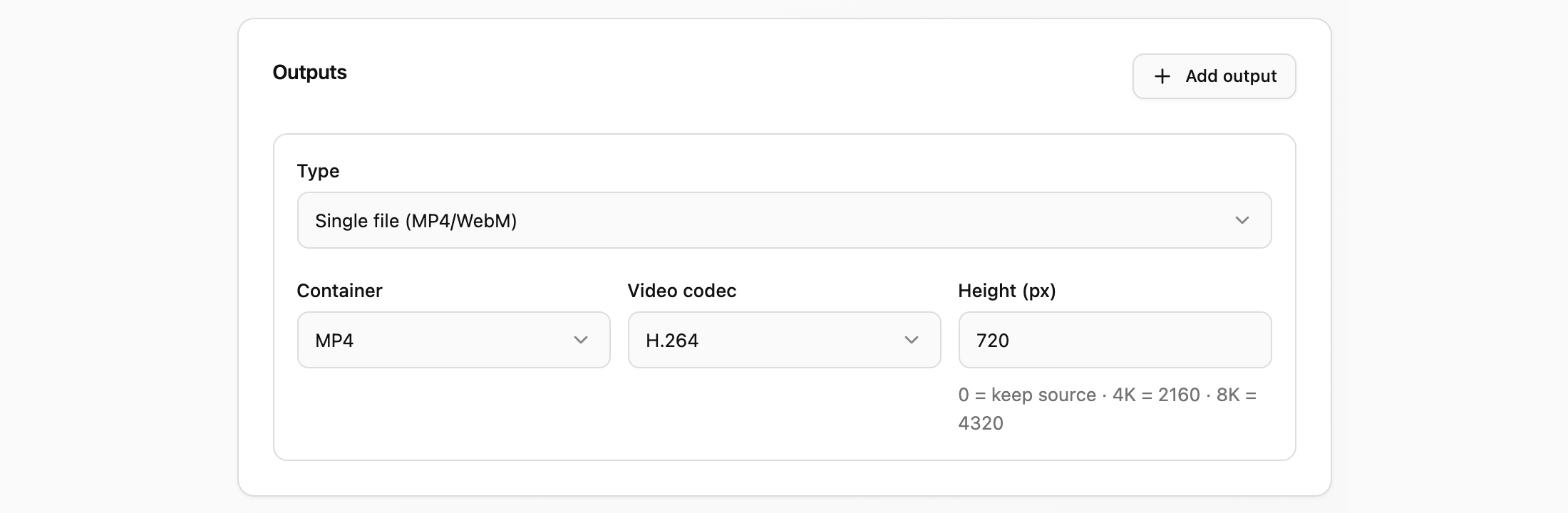
- 4SubmitThe job appears in the list as queued and starts as capacity frees up.
TipRun one job with a single small file and one MP4 output before you wire anything up. It proves the credentials, the endpoint and the prefix in about a minute, and every later problem is then a real problem rather than a typo in a bucket name.
When the form pushes back
| Message | What to fix |
|---|---|
| Enter a valid download URL | The URL source needs a complete http(s):// URL |
| Enter the input object key | An S3 source needs the object key as well as the bucket |
| Destination bucket is required | The destination bucket is empty |
| Add at least one output | Every job needs one or more outputs |
| "Cannot target a private/internal address" | A URL or S3 endpoint points at a private IP; use a public hostname |
| Rejected only on writes | The organization is unverified, suspended, or out of balance |